How to Convert SVG to JSX in React: The Ultimate 2026 Guide
If you want to convert SVG to JSX, the fastest option for most React projects is a dedicated SVG to JSX converter, while manual conversion is best for learning and SVGR is best for large icon libraries.
Quick Answer: Convert SVG attributes like
classtoclassNameandstroke-widthtostrokeWidth, or use a converter to do it automatically.Best for: React developers, design systems, icon libraries, and landing pages.
Cost: Manual conversion is free, and our online converter is free for quick usage.
Key benefit: JSX gives you component-level control over SVG styling, props, and reuse.
Core Facts About SVG to JSX
- Input: Raw SVG markup or an exported
.svgfile. - Output: A JSX/React component you can reuse inside your app.
- Best for: React, icon systems, design systems, and UI components.
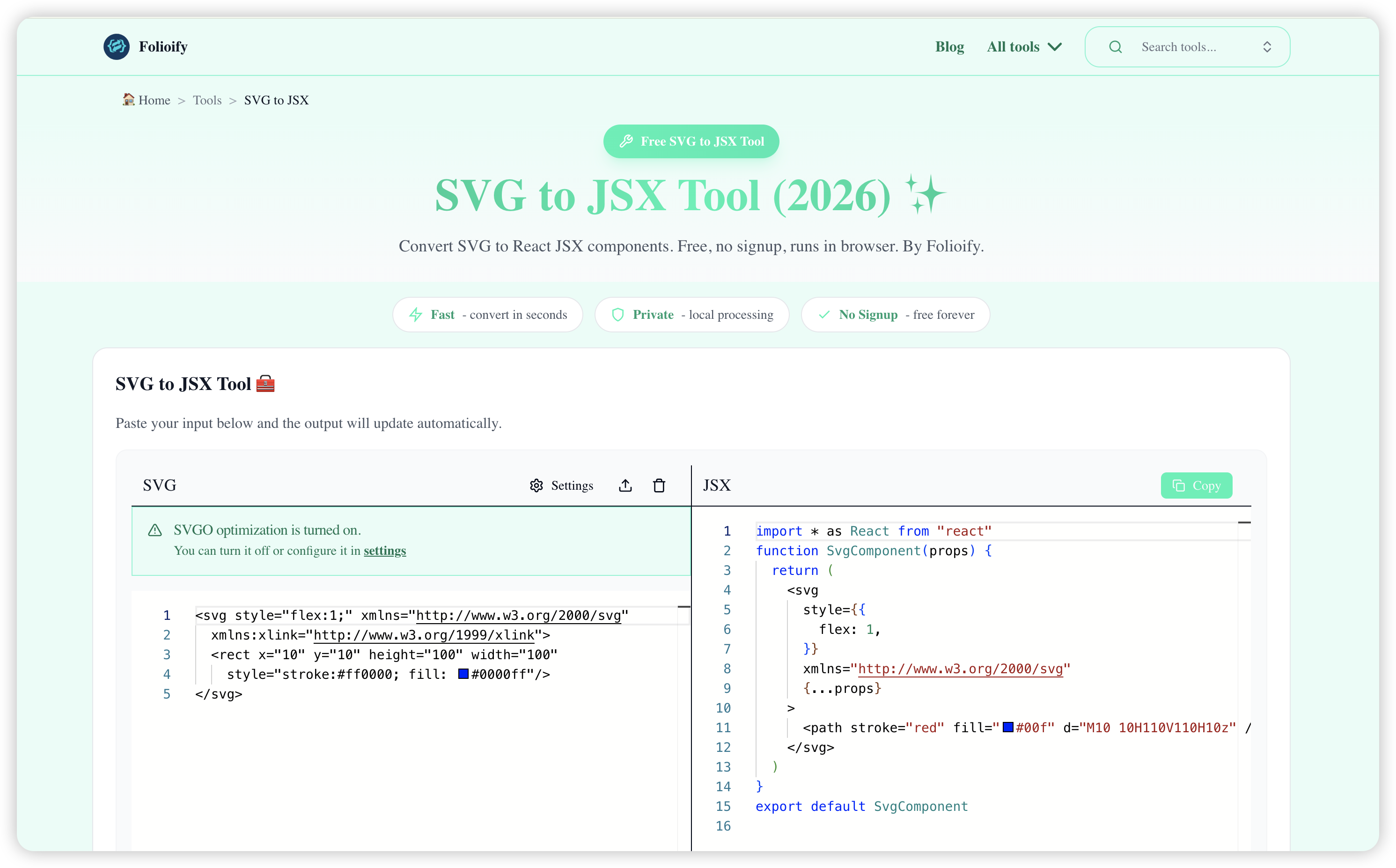
- Fastest method: Use our SVG to JSX Converter for one-off conversions.
- Best scalable method: Use SVGR when you need to convert many icons consistently.
Why Convert SVG to JSX?
Converting SVG to JSX lets you treat graphics as React components instead of static files. That means you can pass props, change colors with CSS or component state, and reuse icons across your product without duplicating markup.
For most teams, the main value is speed plus control: JSX makes SVGs easier to style, easier to standardize, and easier to integrate into a real component workflow.
Method 1: Convert SVG to JSX Manually
Manual conversion is useful when you want to understand exactly what changes React expects.
You can manually convert SVG attributes to camelCase, which is the standard for JSX props. For example:
classbecomesclassNamestroke-widthbecomesstrokeWidthfill-rulebecomesfillRule
// Before (SVG)
<svg class="icon" stroke-width="2">...</svg>

// After (JSX)
<svg className="icon" strokeWidth="2">...</svg>
The most common cleanup steps are:
- Change HTML-style attributes to JSX props.
- Remove invalid inline markup patterns.
- Make repeated values configurable through props when needed.
Manual conversion is good for learning, but it becomes slow and error-prone once the SVG gets complex.
Method 2: Use an Online SVG to JSX Converter
For one-off tasks, an online converter is usually the fastest and lowest-friction workflow.
Try our free tool: SVG to JSX Converter.
Paste your SVG code and get clean JSX output ready for React. A good converter handles attribute renaming, basic cleanup, and the repetitive syntax fixes that usually slow developers down.
This method is best when you need:
- A quick result for a single icon or illustration.
- A reliable way to avoid manual syntax mistakes.
- A fast path from designer export to working React component.
Method 3: Automate SVG to JSX with CLI Tools
If you manage a large icon library or design system, automation is the best long-term choice.
Tools like SVGR can transform SVG files into React components at scale, which helps keep naming, structure, and formatting consistent across a codebase.
This approach is best when you need:
- Bulk conversion for many icons.
- A repeatable workflow in your build or design-system pipeline.
- Consistent output across teams and repositories.
Which SVG to JSX Method Should You Choose?
Choose manual conversion if you are learning how JSX syntax differs from SVG syntax.
Choose an online SVG to JSX converter if you want the fastest result for a single asset.
Choose SVGR or another CLI workflow if you maintain a large icon set and want consistency at scale.
Frequently Asked Questions
Why should I convert SVG to JSX?
You should convert SVG to JSX when you want to use an SVG as a React component with dynamic styling, reusable props, and tighter integration with your app's UI logic.
What is the difference between manual conversion and using a tool?
Manual conversion requires changing attributes like class to className and stroke-width to strokeWidth yourself. Tools automate that cleanup, which is usually faster, more consistent, and less error-prone for complex SVGs.
Can I use external SVG files in React?
Yes. You can import SVG files directly in many React toolchains, but converting them to inline JSX gives you more control over the internal markup, props, and styling behavior.